How to Calibrate the Compass on Autel EVO Lite+ After a Hard Landing
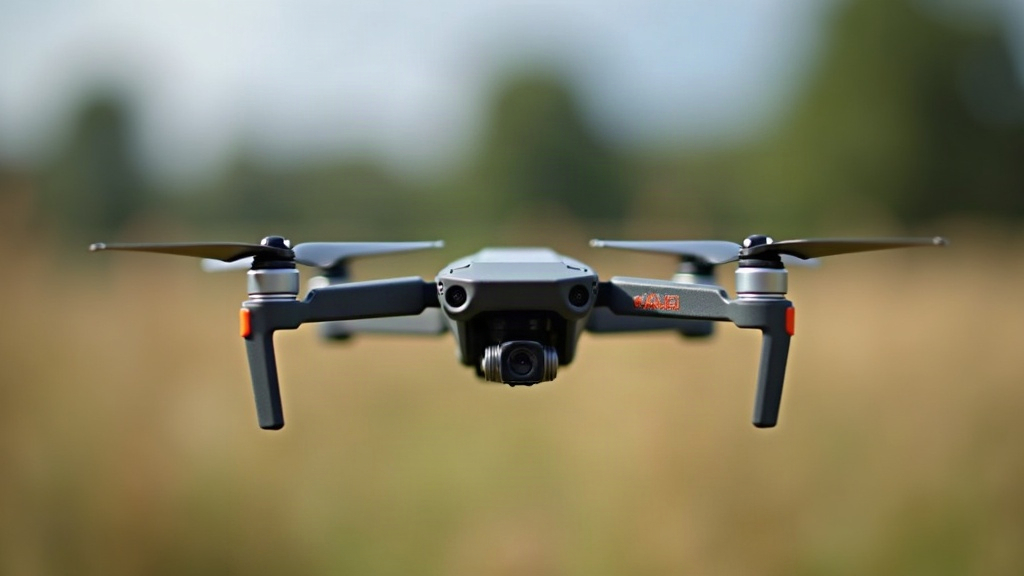
If your Autel EVO Lite+ drifted, spun on its own, or came down harder than you’d like, recalibrating the compass should be the first repair on your list before you send it back up. The whole process takes under two minutes, needs zero tools, and usually fixes erratic heading, that slow circling drift pilots call “toilet-bowling,” and GPS lock problems that crop up after magnetic interference from an impact.
Why a Hard Landing Affects the Compass
The compass (magnetometer) in the EVO Lite+ is genuinely sensitive, both to physical shock and to shifts in the surrounding magnetic field. A hard landing can do several things at once:
- Nudge the internal magnetometer’s calibrated reference point out of alignment
- Create micro-fractures or loosen wiring near the sensor itself
- Leave magnetized metal shavings or debris close to the compass module, especially common after hitting concrete, asphalt, or metal surfaces
- Cause a mismatch between the IMU (inertial measurement unit) and the compass heading data
Here’s the tricky part: the drone might power on fine and even fly afterward. But skip calibration and you’re rolling the dice on subtle, dangerous symptoms, things like unexpected yaw drift, an RTH that overshoots your actual landing spot by several meters, or a flat-out “Compass Error” warning in the Autel Explorer app.
Signs You Need to Recalibrate
Before you do anything else, run through a quick pre-flight check and watch for these red flags:
- Toilet-bowling: instead of holding a steady hover, the drone slowly circles on its own
- Compass Error / Compass Interference warning showing up on the app’s flight screen
- Erratic yaw when you try to fly in a straight line
- GPS satellite count drops out of nowhere, with no obvious environmental cause
- Aircraft nose drifts off in a direction that doesn’t match your stick input
See any of these? Land immediately and calibrate before your next takeoff. Don’t push through it hoping it’ll sort itself out mid-flight.
Step-by-Step Compass Calibration
- Inspect the drone first. Look over the props, arms, gimbal, and the compass module (usually tucked in the rear arm or bottom shell) for cracks or loose connectors. If there’s visible hardware damage, fix that before you even think about calibrating.
- Head to an open outdoor space, well clear of cars, rebar, metal fencing, Wi-Fi routers, and large electronics. Indoor calibration almost never works cleanly, you’ll usually just get bad data or an outright failure.
- Power the remote controller on first, then the aircraft, and link up through the Autel Explorer app.
- Navigate to Settings → Aircraft → Sensor State (or just tap the Compass icon in the status bar if it’s flashing red or yellow).
- Tap Calibrate Compass and follow the rotation prompts on screen:
- Hold the drone level and spin it a full 360° around the vertical axis.
- Tilt it 90° nose-down and rotate it another complete 360°.
- Wait for the app to show “Calibration Successful.” If it doesn’t, walk to a new spot (you could be standing over buried pipes, rebar-laced pavement, or some other hidden metal) and try again.
- Before any real flight, do a test hover at 1 to 2 meters in open space. Watch it closely for at least 30 seconds and see if it holds position.
What to Do If Calibration Keeps Failing
- Empty your pockets. Phone, keys, metal watch, all of it interferes more than most people realize.
- Switch locations, and aim for grass or bare dirt rather than a parking lot or rooftop.
- Check your firmware. Outdated versions can cause odd calibration bugs, so update through the Autel Explorer app first if you haven’t in a while.
- Look at the compass module wiring. A hard landing can jostle the connector loose. If you’re handy with light disassembly, check that the ribbon cable is seated properly.
- Call Autel Support if you’ve tried 3 or 4 times in different spots and it still won’t take. That pattern usually points to actual sensor damage, meaning you’ll need a replacement module.
After Calibration: Double-Check the IMU Too
A hard landing rarely affects just the compass, it often knocks the IMU (accelerometer and gyroscope) out of whack too. If your drone still feels shaky or tilts during hover even after a successful compass calibration, run an IMU calibration next. It’s sitting right in the same Sensor State menu. Just make sure you set the drone on a truly flat, level surface for this one. Even a slight tilt in the surface will throw the whole calibration off.
Conclusion
A hard landing doesn’t automatically mean your EVO Lite+ is damaged, but it almost always throws the compass off by at least a little. Recalibrating in an open spot away from interference takes maybe two minutes and saves you from much bigger headaches down the line, like flyaways or a Return-to-Home that lands nowhere near where it should. Make it a habit: pair compass calibration with a visual inspection, and add an IMU recalibration when things still feel off, before your next flight.