Fix DJI Mini 3 Pro Gimbal Motor Overload Error in High Winds
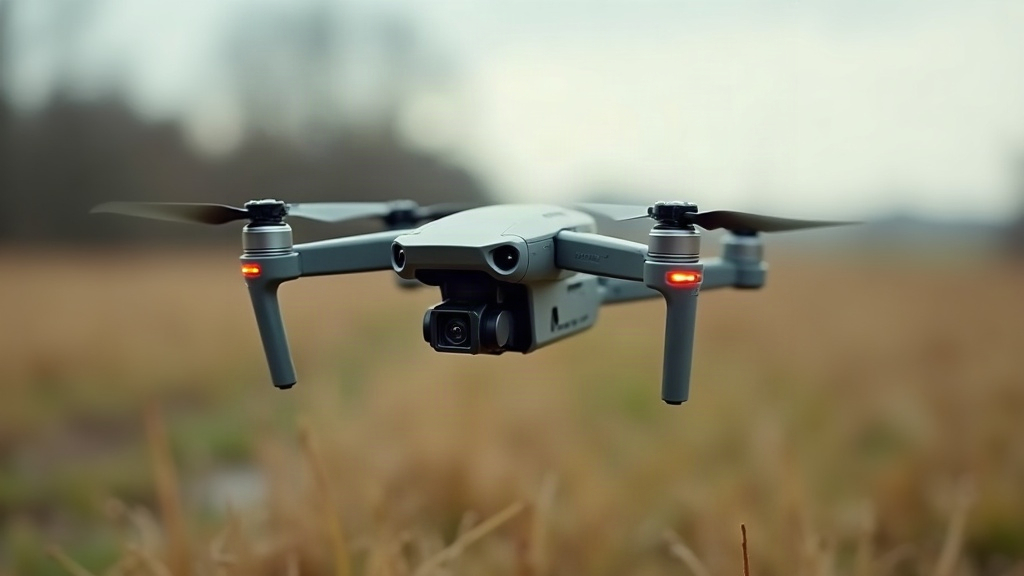
If your DJI Mini 3 Pro suddenly throws up a “Gimbal Motor Overload” warning mid-flight, nine times out of ten it’s the wind. Gusts push the aircraft around enough that the gimbal motor has to overcorrect past its normal working range just to keep the shot level. Usually you’ll see this pop up while you’re airborne in gusty weather, but it can also show up sitting on the ground if something’s blocking or damaging the gimbal. Let’s go through why it happens, what to do about it right now, and how to stop it from coming back.
Why the Gimbal Motor Overload Error Happens in Wind
The gimbal on a Mini 3 Pro is a tiny, featherweight 3-axis stabilizer built to keep your footage smooth and level. It’s genuinely impressive engineering for something so small, but that miniaturization has a tradeoff: the motors just don’t have the torque that you’d find on something bigger, like a Mavic 3.
So when a gust hits the drone from the side, or from below, the body of the aircraft tilts and shudders to compensate. The gimbal, in turn, tries to counter every one of those tiny jerks to keep the camera steady. Push it far enough (sustained winds above roughly 20-24 mph, which is about level 5 on the Beaufort scale) and the motor gets shoved past its mechanical limits. That’s when the overload protection kicks in.
Worth remembering: this isn’t the drone breaking. It’s a built-in safety cutoff designed to stop the motor from cooking itself, or the delicate gimbal ribbon cable from tearing under the strain.
Immediate Fixes While Flying
Seeing the error while you’re still in the air? Do this:
- Get down, somewhere calm and sheltered. Don’t push through the same wind hoping it’ll clear up on its own. The warning can escalate into a full gimbal failure if you keep flying in it.
- Power cycle the aircraft. Shut it off, count to fifteen or twenty, then restart. This clears the gimbal motor’s calibration state in most cases, and it’s often all it takes.
- Feel around the gimbal for physical drag. With the drone powered down, gently move the camera by hand. Any stiffness, grinding, or resistance usually means debris got in, or something’s actually damaged.
- Look at the ribbon cable. A cable that’s pinched or sitting loose can produce symptoms that look exactly like an overload. Pop the gimbal cover and make sure it’s seated the way it should be.
Fixing It for Good
1. Recalibrate the Gimbal
Fire up the DJI Fly app, head to Settings > Control > Gimbal, and run either the Gimbal Autotest or Gimbal Calibration. Set the drone on something flat and level first, that part matters. This usually clears up overload errors that come from minor sensor drift rather than actual wind stress.
2. Update Firmware
DJI has quietly pushed out several firmware updates that improve how the gimbal motor manages current limiting. Check DJI Fly > Profile > Aircraft > Firmware Update and make sure you’re current. Plenty of pilots report the overload message vanishing completely after jumping from an older firmware version to a newer one.
3. Check That the Gimbal Protector Was Actually Removed
This one trips people up more than you’d think. Either the gimbal lock clip never got fully removed before takeoff, or it got reinstalled slightly crooked afterward. Check that it clicks off cleanly and doesn’t leave a bit of plastic wedged near the motor housing.
4. Respect the Wind Rating
DJI officially rates the Mini 3 Pro for wind resistance up to level 5, around 19-24 mph. If you’re flying anywhere close to that ceiling, or past it:
- Steer clear of buildings and canyons, they create turbulent, unpredictable gusts that are worse than open-field wind.
- Point the nose into the wind instead of flying sideways through it. That alone cuts down on lateral strain on the gimbal.
- Check wind speeds at your actual flying altitude (100-400 ft), not just what’s happening at ground level. Wind picks up a lot once you’re higher.
When to Contact DJI Support
If you’ve calibrated, updated the firmware, flown in dead-calm conditions, and the error still won’t quit, you’re probably looking at a hardware problem, most likely a worn-out gimbal motor or a flex cable damaged from a hard landing or an earlier overload event. At that point:
- If you’ve got DJI Care Refresh, file a claim and get it swapped.
- No coverage? Gimbal motor replacement through DJI’s repair service usually runs $60-90.
Conclusion
Nine times out of ten, that gimbal motor overload warning on your Mini 3 Pro is just wind doing wind things, not permanent damage. Land quickly, recalibrate, keep your firmware current, and stay within the drone’s rated wind limits, and you’ll fix the vast majority of cases. If it keeps popping up even on still, calm days, that’s your sign to get DJI to look at the hardware directly.