Best Camera Settings for Cinematic Real Estate Video, Sub-250g Drone
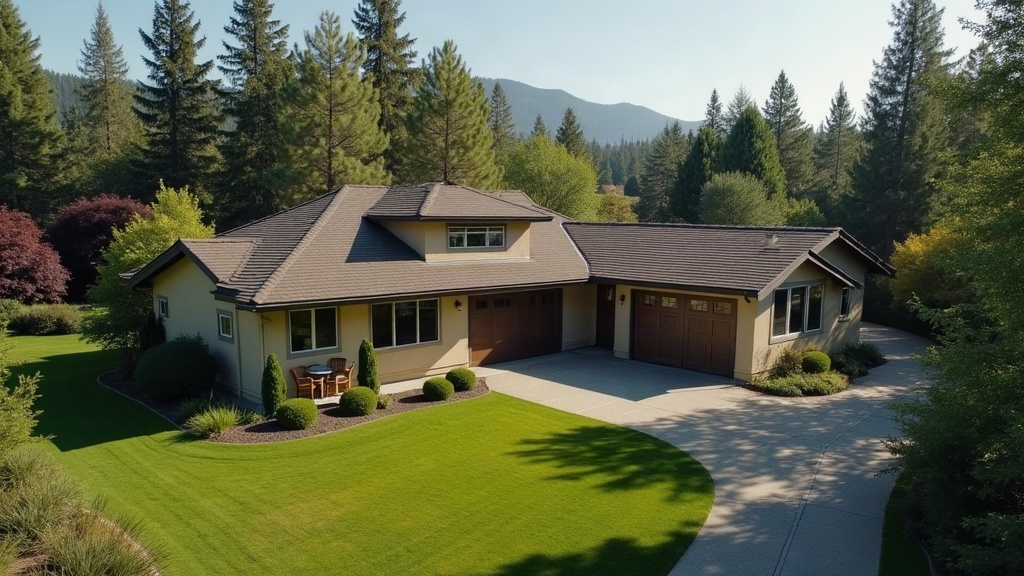
Shooting cinematic real estate video with a sub-250g drone really comes down to four things: a locked shutter speed following the 180-degree rule, manual exposure instead of auto, a flat or natural color profile for grading flexibility, and slow, deliberate movement. Nail those four and even something as small as a DJI Mini 4 Pro or Mini 3 can produce footage that looks like it rolled off a much bigger cinema rig.
Why Sub-250g Drones Are Ideal for Real Estate
Drones under 250g (think DJI Mini series or Autel Nano) skip the FAA Part 107 registration requirement in many jurisdictions for casual flying, and they’re legal to fly closer to people and property without the regulatory headaches that come with heavier models. If you’re an agent or videographer shooting 20, 30, sometimes 40 listings a month, that convenience ends up mattering just as much as raw image quality.
The tradeoff is a smaller sensor. That means you have to be more deliberate with your settings, or you’ll end up with noise, motion blur, and flat, lifeless footage.
Core Camera Settings to Set Before You Launch
1. Shoot in Manual Mode
Auto exposure causes that annoying “breathing” effect as you fly past bright skies, dark roofs, and shaded trees. Switch to full manual (M mode) in your drone app and lock the following:
- ISO: Stay as close to native (ISO 100) as you can. Only bump it up in low light, and try to avoid going past ISO 800 on a small sensor, the noise gets ugly fast.
- Shutter speed: Follow the 180-degree rule, shutter speed should roughly double your frame rate. Shooting 24fps? Use 1/50s. Shooting 30fps? Use 1/60s.
- Aperture: Most sub-250g drones have a fixed aperture (usually somewhere between f/1.7 and f/2.8), so exposure control falls mostly on ND filters, not the lens.
2. Use ND Filters Religiously
Since your shutter speed is locked to your frame rate, ND filters become the real tool for managing exposure in daylight. Keep a set of ND8, ND16, ND32, and ND64 in your bag:
- Bright sunny day: ND16 or ND32
- Overcast or golden hour: ND4 or ND8
- Early morning/dusk: Often no filter needed at all
3. Choose the Right Color Profile
Shoot in D-Log, D-Cinelike, or Flat instead of the standard “Normal” color setting. Flat profiles hold onto highlight and shadow detail, which gives you room later to grade the sky, grass, and siding so they look consistent clip to clip in a listing video.
- Not planning to color grade? Shoot Normal or Vivid for a faster turnaround, no post-processing needed.
- Want the real cinematic look? Shoot Log and drop a LUT on it in post (DaVinci Resolve has free real estate-style LUTs that work well out of the box).
4. Frame Rate and Resolution
- 24fps gives you that film-like, cinematic motion.
- 30fps works better for smoother playback on social reels, or in regions where local screen refresh rates favor it.
- Shoot in 4K minimum, even if you’re delivering in 1080p. That extra resolution gives you room to crop, reframe, and stabilize later without losing quality.
Movement Settings That Make Footage Feel Cinematic
Settings alone won’t sell the house. Movement does the real work here, so dial these in:
- Cine mode / Cinematic mode: Slows down stick response so your movements come out smoother, less twitchy.
- Gimbal speed: Set it to the slowest or “smooth” option for tilts and reveals.
- Flight speed: Cap horizontal speed at roughly 2-4 mph for establishing shots. Save the faster transitional moves (8-10 mph) for things like a driveway-to-rooftop reveal.
Signature Real Estate Shots to Plan For
- The reveal: Start low behind a tree or hedge, then rise slowly to unveil the full front facade.
- The orbit: A slow 180-270 degree arc around the property at a fixed height, think of it as a buyer circling the house once before deciding.
- The rooftop ascend: A vertical climb from eye-level up to 100-150 ft, placing the property in context with the neighborhood around it.
- The walk-up: Low, slow forward flight mimicking a buyer’s approach to the front door (only where local rules actually permit it).
Common Mistakes to Avoid
- Flying at midday with no ND filter. This is how you end up with blown-out skies and harsh, ugly shadows across the lawn.
- Using auto white balance per clip. Lock in a fixed Kelvin value instead (5600K is standard for daylight) so every clip in the final video actually matches.
- Overusing fast, jerky movements. A drone orbiting too quickly starts to feel like a flyover, not a tour. Buyers notice the difference even if they can’t name it.
- Ignoring wind. Sub-250g drones are light, and anything above 15-20 mph starts pushing them around. Even a good gimbal can’t fully hide that in the footage.
Quick Settings Cheat Sheet
| Setting | Recommended Value |
|---|---|
| Mode | Manual (M) |
| Frame rate | 24fps or 30fps |
| Shutter speed | 1/50s (24fps) or 1/60s (30fps) |
| ISO | 100-400 (native, raise only if needed) |
| White balance | 5600K fixed |
| Color profile | D-Log / D-Cinelike / Flat |
| ND filter | ND8-ND32 depending on light |
| Gimbal/flight mode | Cine mode, smooth gimbal |
Conclusion
A sub-250g drone can absolutely deliver cinematic real estate footage, as long as you treat it like a real camera and not a toy. Lock your exposure with manual settings and ND filters, shoot flat so you have grading flexibility, and slow your movements down to match the pace of someone actually walking the property for the first time. Get these settings dialed in once, save them as a preset in your app, and every listing shoot after that gets faster, more consistent, and honestly, a lot more sellable.