Safely Filming Downhill Mountain Biking Trails With Skydio Avoidance
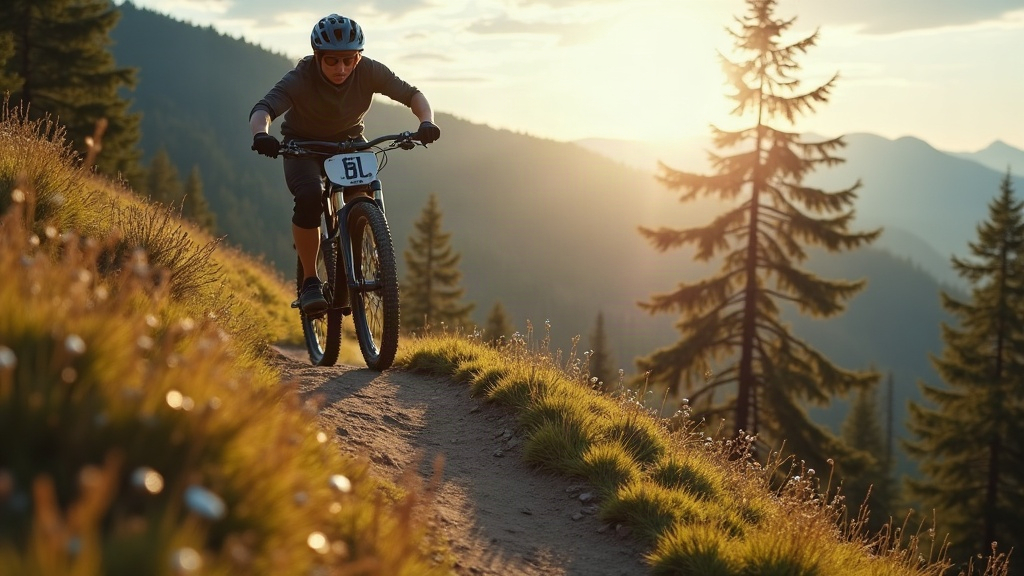
Filming downhill mountain biking at speed, weaving through tight tree lines and rocky chutes, is one of the toughest tests a drone pilot can face. Skydio’s autonomous obstacle avoidance system makes this kind of high-risk, high-reward footage possible even for solo riders with no camera operator trailing behind them. But that only holds true if you actually understand how the tech works, and more importantly, where it falls short. This guide covers practical setup, flight strategy, and safety habits for getting cinematic downhill MTB shots without putting your drone into a tree.
Why Skydio Is Different From Standard Drones
Most consumer drones lean on basic forward or downward sensors plus GPS waypoints. Skydio drones (the Skydio 2+ and the Skydio X10) use six or more navigation cameras to build a live 3D map of their surroundings. That lets them:
- Spot obstacles in nearly every direction, not just what’s directly ahead
- Predict where a moving subject, the rider in this case, is headed and plan a path around it
- Weave through branches and trunks on their own while keeping the subject in frame
That capability matters a lot on downhill trails. Thick canopy, sharp switchbacks, and sudden drops in elevation would overwhelm a drone flown manually, or one stuck in a plain GPS-only follow mode.
Setting Up Before You Hit the Trail
1. Scout the trail first
Even the sharpest obstacle avoidance system still benefits from a human doing some homework. Walk or ride the trail ahead of time and take note of:
- Dense tree sections where the drone needs more altitude or width to work with
- Open clearings that are perfect for a dramatic low-angle shot
- Blind corners where the rider’s speed and direction shift fast, with little warning
2. Choose the right tracking mode
Skydio’s app gives you a handful of cinematic modes, Follow, Lead, Orbit, and Cable Cam. For downhill MTB specifically:
- Lead mode shines on straight, fast sections, flying ahead of the rider for those dramatic face-on shots.
- Follow mode is the safer bet on tight singletrack, since the drone stays behind and reacts to what’s in front of it instead of trying to anticipate a blind turn.
- Orbit works best for jumps or highlight features, not for continuous trail riding.
3. Set a conservative subject distance
Start wide, 8 to 12 meters of following distance, rather than going for tight, cinematic close-ups right away. You can always crop or edit footage to feel closer later; you can’t undo a crash. Once you’ve got a feel for how the drone handles your particular trail’s obstacle density, tighten up the distance on the next run.
Flying Technique for Dense, Fast Trails
- Fly in good light. Skydio’s navigation cameras need decent contrast and brightness to map obstacles accurately. Deep shade under thick canopy, or flying at dusk, noticeably hurts detection.
- Watch out for thin, repetitive obstacles. Chain-link fences, thin wires, and very fine branches are genuinely harder for stereo vision systems to pick up than a solid trunk or a boulder. Spot these during your scout and manually widen the flight path around them.
- Let the drone slow down on its own. When Skydio spots an obstacle, it usually decelerates or reroutes rather than slamming to a stop mid-air. Resist grabbing the sticks right away, since abrupt manual input can fight against the avoidance algorithm.
- Always have an escape plan. If a rider wipes out or stops short, have a one-tap “climb and hover” reflex ready (most apps support this) instead of trying to push through a now-static obstacle on a scripted shot path.
Battery, Backup, and Redundancy
Downhill runs are short but brutal on the battery, especially with aggressive tracking engaged. A few habits worth building:
- Carry at least 3 batteries per session so you get multiple takes
- Review footage between runs for any stutters or sudden altitude jumps, both are signs the drone struggled with an obstacle
- Fly a test pass without the rider on any new or unfamiliar section of trail
Common Mistakes to Avoid
- Trusting full autonomy too much in very dense forest. Switch to manual or semi-manual flying once tree spacing falls below your drone’s documented minimum gap (check the spec sheet for your model).
- Flying too low right behind jumps, where the drone has no way to predict a rider’s sudden vertical movement.
- Ignoring wind. Even a light gust can push the drone into branches faster than the avoidance system can react, especially on exposed ridgelines.
Conclusion
Skydio’s obstacle avoidance tech has genuinely changed what’s achievable for solo-shot downhill MTB footage, giving riders professional-grade chase shots without needing a second person behind the camera. Getting safe, great results comes down to pairing that autonomy with smart trail scouting, conservative following distances, and a clear sense of where the sensors struggle: dense canopy, thin obstacles, low light. Combine the tech with good judgment and you’ll walk away with cinematic footage, and a drone that’s still in one piece.