Calibrate Betaflight PIDs for Indoor Cinewhoop Drones
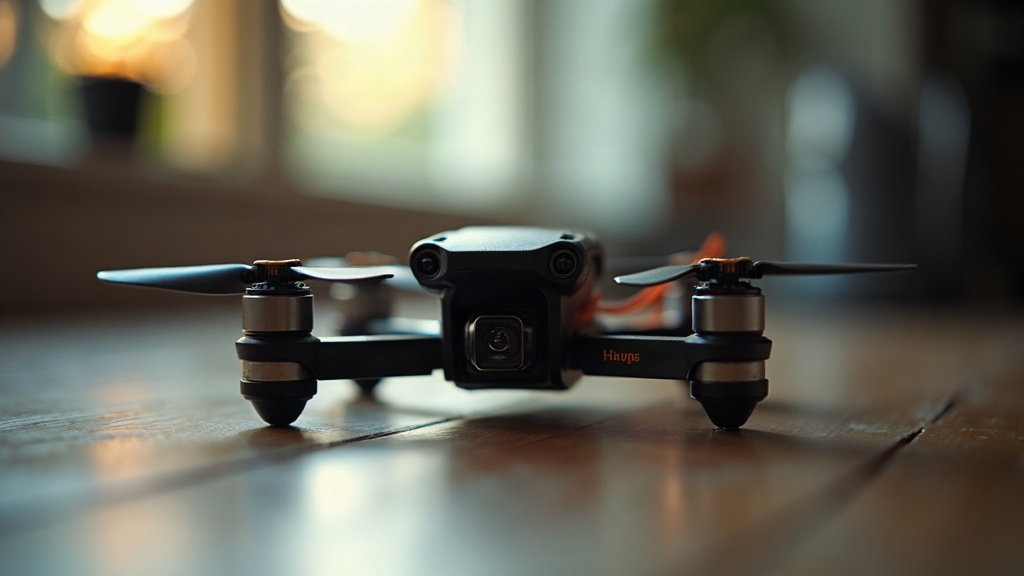
Learning how to calibrate Betaflight PID settings for indoor cinewhoop drones is really the difference between shaky, throwaway clips and that buttery, professional-grade footage everyone’s chasing. Unlike freestyle drones, which want to be aggressive and snappy, indoor cinewhoops need to fly more like a floating tripod. They’re carrying a heavy action camera on a tiny, ducted frame, so stock Betaflight settings almost always end up giving you shaky footage, hot motors, and ugly prop wash whenever you drop down near a wall or floor. Here’s exactly how to dial in your P, I, and D gains for stable indoor flights.
Why Cinewhoops Need Specific Tuning
Cinewhoops are, frankly, an aerodynamic pain. Those propeller ducts add a lot of drag, which makes the quad heavier and slower to respond. Add in the fact that you’re flying through tight corridors indoors, bouncing your own turbulent air off walls and ceilings back into your own flight path, and you’ve got a genuinely tricky tuning problem.
That’s why an indoor cinewhoop tune has to prioritize a few specific things:
- Stability over agility: you want smooth tracking, not snap rolls.
- Prop wash handling: the tune needs to filter out turbulent air fast, without cooking your micro motors in the process.
- Reduced twitchiness: center-stick sensitivity needs softening so your thumbs don’t inject micro-jitters straight into the HD footage.
Pre-Tuning Hardware Checklist
Before you touch a single slider in the Betaflight configurator, make sure the hardware itself is sound. Nine times out of ten, a “bad tune” is actually just a mechanical vibration wearing a disguise.
- Tighten everything: check that your flight controller soft mounts aren’t squished flat, and confirm every frame screw is actually snug.
- Inspect props and ducts: even a microscopic bend in a cinewhoop prop, or a blade brushing lightly against a duct, will inject gyro noise that no amount of PID tuning will ever cure.
- Enable RPM Filtering: make sure Bidirectional DSHOT is turned on and RPM filtering is enabled in Betaflight. On a modern cinewhoop, this isn’t optional, it’s the baseline.
How to Calibrate Betaflight PID Settings for Indoor Cinewhoop Drones
Work through this in order, inside the Betaflight PID Tuning tab. Run the latest Betaflight version (4.4 or newer) if you can, since the advanced slider system makes this whole process a lot easier.
Step 1: Lower the Feedforward (FF)
Feedforward predicts where your sticks are heading so the quad reacts almost instantly. Great for freestyle. For cinematic flying, though, it makes everything feel robotic and jerky.
- Pull the Stick Response (Feedforward) slider down by at least 20-30% from default.
- That adds a small, natural lag to your inputs, so the drone glides through indoor corners instead of snapping into them like it’s dodging gates on a race track.
Step 2: Adjusting Proportional (P) Gains
P gain is basically how hard the motors fight to correct an error. Cinewhoops are heavily damped by their ducts, so they can usually handle a bit more P on Pitch and Roll than an open-prop freestyle quad would tolerate.
- Nudge the P and I gain slider up slightly, somewhere around 1.1 to 1.2.
- Listen for fast, high-pitched oscillations. If you hear a rapid trilling sound while hovering indoors, that’s your cue: P is set too high.
Step 3: Boosting Integral (I) Gains for Indoor Drafts
Think of I gain as the drone’s memory. It’s what keeps the quad locked at its exact angle over time. Flying indoors, you’ll constantly cross HVAC vents, cracked-open doors, or a ceiling fan’s draft, any of which can nudge the quad off level.
- Cinewhoops do better with a robust I gain, since it stops the nose from dipping every time you pass between rooms.
- If the quad wanders or slowly drifts off-axis on a slow, straight pass down a hallway, bump the I gain up a little at a time.
Step 4: Taming Derivative (D) Gains and Motor Heat
D gain acts like a shock absorber, smoothing out P and killing prop-wash wobble. Indoor flying means constant descents through your own dirty air, so you do need a decent amount of D. The catch: cinewhoop motors are small and already working hard, which makes them burn out fast under excessive D.
- Keep the Damping (D gain) slider as low as you can get away with while still avoiding bouncy stops.
- Lean on D-Min. It keeps D low during smooth cruising (your motors will thank you) and only spikes it when you throw in a sudden stick input or fly through heavy prop wash.
Setting Up Your Rates for Cinematic Indoor Flight
PIDs govern how the drone reacts to its environment. Rates govern how it reacts to your fingers. Betaflight’s default rates, around 660 deg/sec, are way too twitchy for an indoor real estate walkthrough or event coverage shoot.
- Lower your Max Rate: bring max rotation speed down to roughly 400-500 deg/sec. Nobody needs a triple backflip in someone’s living room.
- Increase RC Expo: add 0.20 to 0.30 Expo across Pitch, Roll, and Yaw. This flattens out the center of your sticks, so a small thumb tremor doesn’t turn into a shaky camera pan.
The Indoor Flight Test Protocol
Once the initial numbers are set, run a safe test hover somewhere open, a garage or a big living room works fine.
- Hover and Listen: arm up, hover in line of sight, and listen closely for any grinding noise or high-pitched oscillation.
- The Motor Temp Test: fly smoothly for about 60 seconds, land, and pinch each motor. Too hot to touch means D or P is set too aggressive. Warm to the touch means you’ve found the sweet spot.
- The Prop Wash Test: punch the throttle up toward the ceiling, then drop straight down into your own turbulent air, catching the drone before it reaches the floor. Uncontrollable wobble means bump the D gain up a notch and test again.
Final Thoughts
Patience matters more than anything else here. Now that you know how to calibrate Betaflight PID settings for indoor cinewhoop drones, change one slider at a time, no exceptions. Save, fly a 60-second test, check the motors, review the DVR footage. Do that a few times and your cinewhoop will start flying like it’s on invisible rails, ready to capture that clean, cinematic indoor shot you’ve been after.